How to layout illustrations with text first and graphics later in printed book typesetting summary
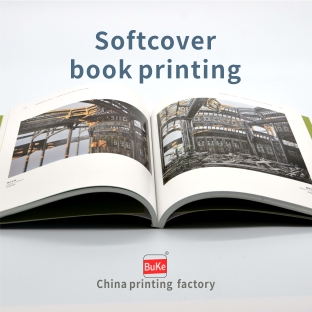
① The principle of graphics following the main text is that illustrations are usually arranged after the end of a paragraph, and should not be inserted in the middle of a paragraph, which may cut off the middle of the article and affect the reader's reading. When arranging illustrations, it is necessary to follow the principle of following the text, seeing the text first and then the figure, and arranging the graphics and text closely together. The diagram cannot be arranged across chapters or sections.
② When the width of the illustration exceeds 2/3 of the center of the page, the illustration should be placed in the center on both sides, leaving even and consistent blank space on both sides, and no text should be placed.
③ When the width of the illustration is less than 2/3, the general layout principle is that the illustration should be placed on the side (there is text next to the illustration, so it is called a horizontal text image, a string text image, or a scroll text image). If there is only one image on one side, the image name should be placed on one side of the incision; If there are two images, the image names should be diagonally crossed, with the upper image at the cut and the lower image at the cut. There must be at least two lines of text between the upper and lower images; If there are three images, they should be arranged in a triangular cross, with the first and third images placed at the incision and the second image placed at the binding. Alternatively, the first and second images can be arranged side by side on the railing, while the third image can be placed on the cut. ④ There are text on all three sides of the text diagram. When arranging the text diagram, the space between the diagram and the main text should not be less than the width of one regular text.
⑤ The general principle for placing column layout illustrations in the center of the page is that small illustrations should be placed in columns, while large illustrations can be arranged in columns.
⑥ Bleeding images refer to images where one or a few sides of the drawing exceed the finished size. When printing into a book, 2-3mm should be cut off at the incision of the illustration. The purpose of bleeding images is to beautify the layout and also to enlarge the image appropriately for easy viewing. This type of layout is commonly used in journals, picture books, and children's books to avoid monotony and increase reading interest. When removing the bleeding chart, it is important to understand the finished dimensions of the book, and it is generally recommended to exceed the incision by 3mm.
⑦ Oversized layout refers to a layout with edges that exceed the width of the printing center but are smaller than the finished size. To ensure the integrity of the layout, the distance between the edges of the layout and the cut should not be less than 5mm. If the oversized layout occupies the position of the book eyebrows and page numbers, the layout may not include the book eyebrows and page numbers. There are two situations when using a super template image: one is intentionally designed to beautify the layout, and the other is due to the large size of the image, which requires the use of super templates to solve the problem.

How to layout illustrations with text first and graphics later in printed book typesetting summary



 简体中文
简体中文 繁體中文
繁體中文 English